

Start fast: the problem that breaks rollouts
Rollouts fail because small issues hide in plain sight — a faint flicker, a patchy color band, or a controller that glitches after a week. You need a checklist that finds those faults before installers hit the store. Start with a focused bench test and a field-ready run; skip either and you’ll chase problems on-site. For hands-on validation, compare sample units against a reference pattern on a led poster display to expose contrast, timing, and pixel issues fast.
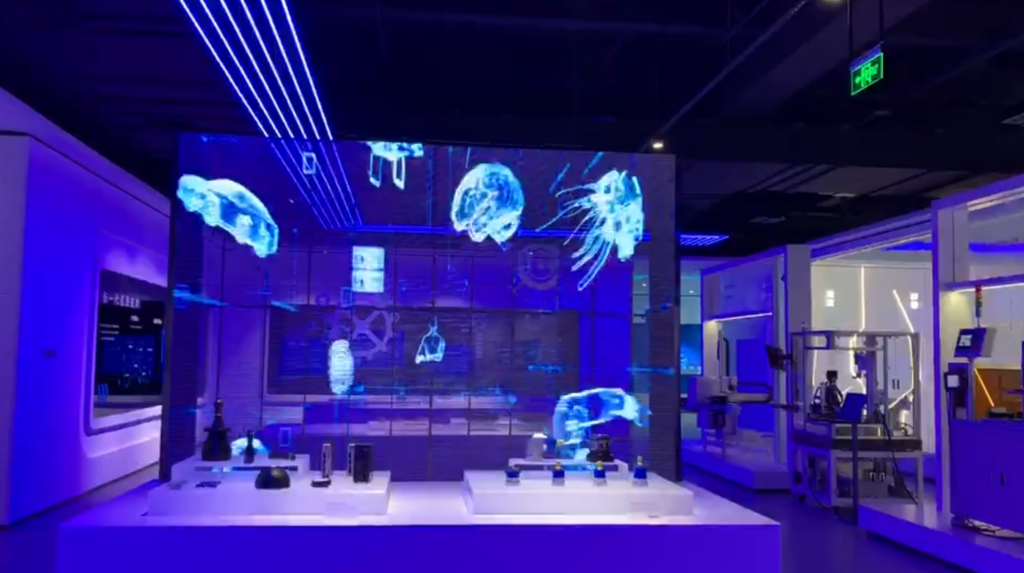
Where LED poster suppliers usually slip
Manufacturers often assume “visual pass” equals “fit for purpose.” It doesn’t. Common failure points: pixel defects, luminance non-uniformity, color inaccuracies, flicker at certain refresh rates, thermal throttling under continuous use, firmware instability during network updates, and weak connectors that fail after repeated installs. Electrical safety and grounding are frequently under-tested too. Each of these can ruin a campaign and cost weeks to fix.
Tests you must run — practical, measurable, and repeatable
Visual inspection first: front and back. Look for dead or stuck pixels and mechanical damage. Use a suite of test patterns — pure red/green/blue, ramps, checkerboards, and full-white — to spot pixel clusters and seams.
Color and luminance: use a colorimeter or spectroradiometer. Target values: aim for ΔE ≤ 3 for general retail use (≤ 2 for color-critical environments). Expect luminance uniformity within ±10% across the face; tighter where brand fidelity matters. Record a baseline map and compare units against it.
Temporal behavior: verify refresh rate stability and flicker with an oscilloscope or camera at different exposure times. Confirm refresh ≥ 60 Hz and no visible flicker across typical camera shutter speeds used in-store displays.
Thermal and endurance: run a four- to seventy-two-hour burn-in at nominal brightness. Monitor surface temperatures with a thermal camera; check for hotspots and thermal throttling. Power consumption should match spec within a reasonable tolerance; unexpected current draw indicates driver faults.
Firmware and connectivity: perform OTA updates, factory resets, and sustained content loops while on the intended network. Test all input types (HDMI, USB, Ethernet, wireless) and remote management tools for session drops and log continuity.
Electrical safety: measure leakage current, verify insulation and grounding, and check for stable operation under mains voltage fluctuations. Document pass/fail criteria and keep logs tied to each serial number.
Experience that matters — a real-world anchor and authority
I’ve bench-tested displays after seeing dozens of demos at CES in Las Vegas, where manufacturers expose both breakthroughs and recurring weaknesses. That exposure taught the value of consistent test rigs and objective metrics. If you need a point of reference, bring a calibrated reference unit and run the same protocol on every sample — including any indoor led poster display you consider. Document results, timestamp firmware versions, and record ambient conditions so failures are traceable and repeatable.
Pitfalls teams make when they rush QA
Skipping burn-in to meet launch dates. Using only human eyeballs instead of instruments. Accepting vendor tolerance without objective checks. Testing only in the lab and ignoring on-site ambient light and mounting stress. Neglecting firmware regression tests after a “minor” update. Each shortcut builds risk; each risk compounds after deployment.
Alternatives and how they change your tests
Compare LED posters to LCD and OLED alternatives. LCDs often have better native color stability but lower contrast and viewing-angle performance; they need backlight uniformity checks and LCD-specific pattern tests. OLEDs offer deep blacks and color but demand strict burn-in testing. If you consider a different technology, adapt the checklist: emphasize burn-in for OLED, panel uniformity and backlight bleed for LCD, and pixel-level tests for LEDs.
Final synthesis — what to lock into your QC routine
Prioritize tests that catch the most costly problems early: pixel-level checks, color and luminance mapping, temporal/flicker analysis, thermal endurance, firmware stability, and electrical safety. Build a documented protocol, run identical tests on every unit, and attach results to serial numbers. That discipline saves installation days and preserves brand presentation. For a supply partner that aligns testing to practical retail needs, consider how HDC integrates production-level checks with field experience so your displays behave from day one.
